Personal and shared wallets

Khumio keeps your own money and the money you share with someone in one calm place. Record a spend by saying it or snapping the slip, and see who paid what, as it happens.

Coming soon onApp StoreComing soon onGoogle Play

Free. No bank login, no ads, no trackers.

  • Receipts are read on your phone
  • No bank login, ever
  • Works offline, catches up later
  • Delete your account any time
  • No ads, no trackers
  • Free on iPhone and Android
Together

One wallet for the home, one for you.

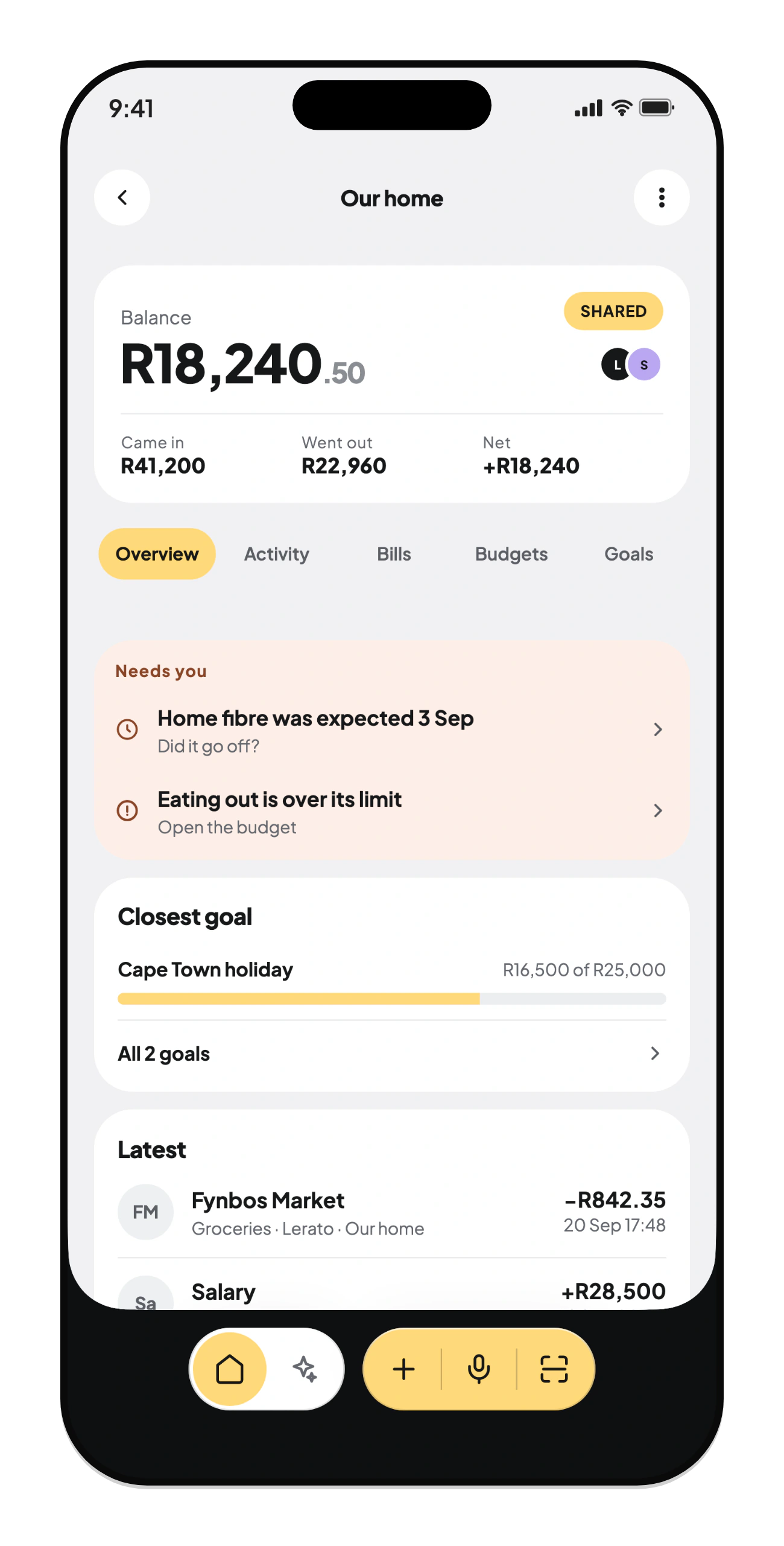
Share a wallet with your partner or housemate and keep your own beside it. Everyone sees the same balance, the same bills, and who paid for what.

  • Join by a code, approved by the owner
  • Roles for who can add and who can only look
  • Bills that remind you, and wait for a tap to count
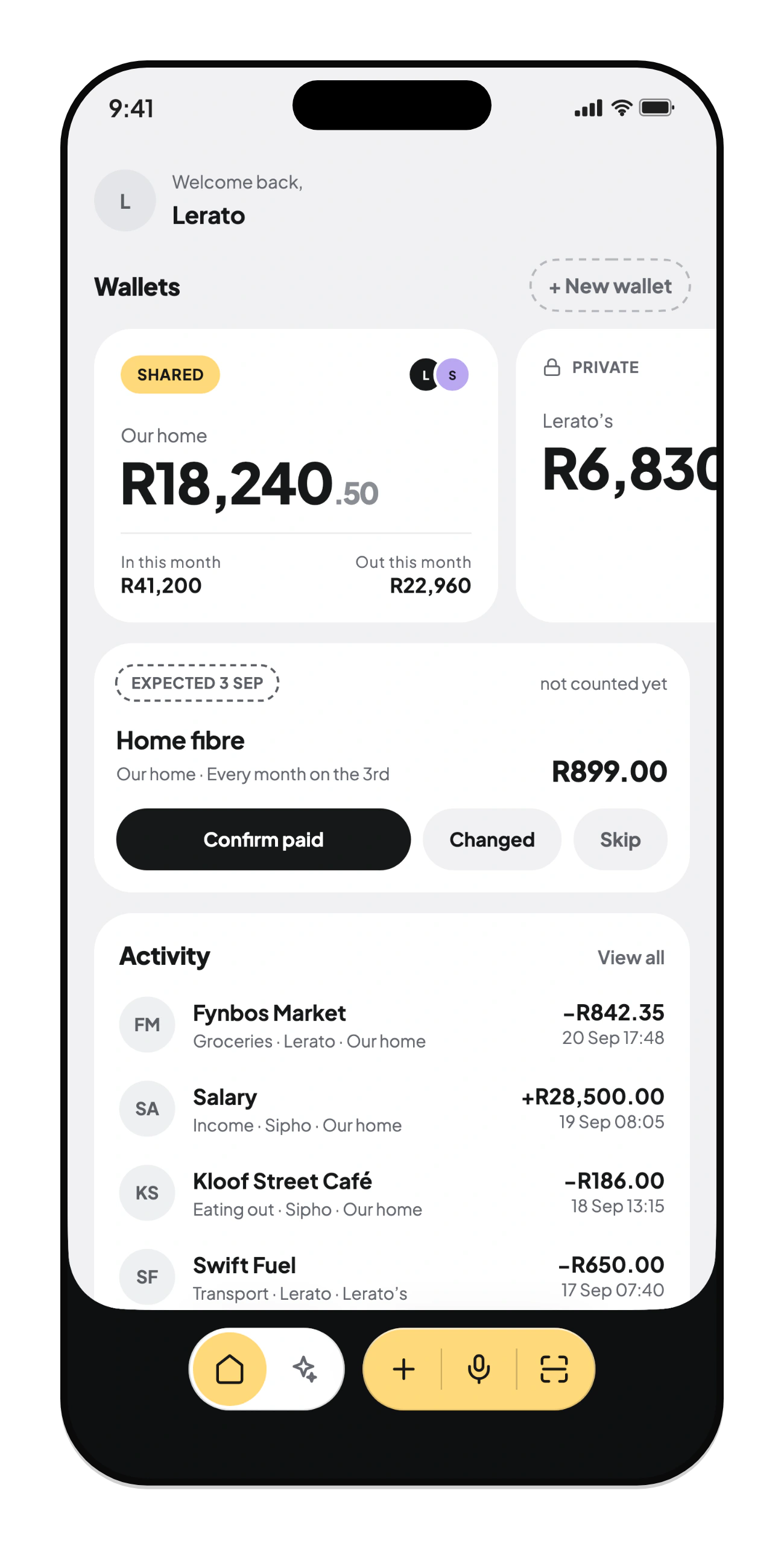
Khumio's Home screen: a shared and a personal wallet, a bill to confirm, and recent spending
Say it

Spend, say it, done.

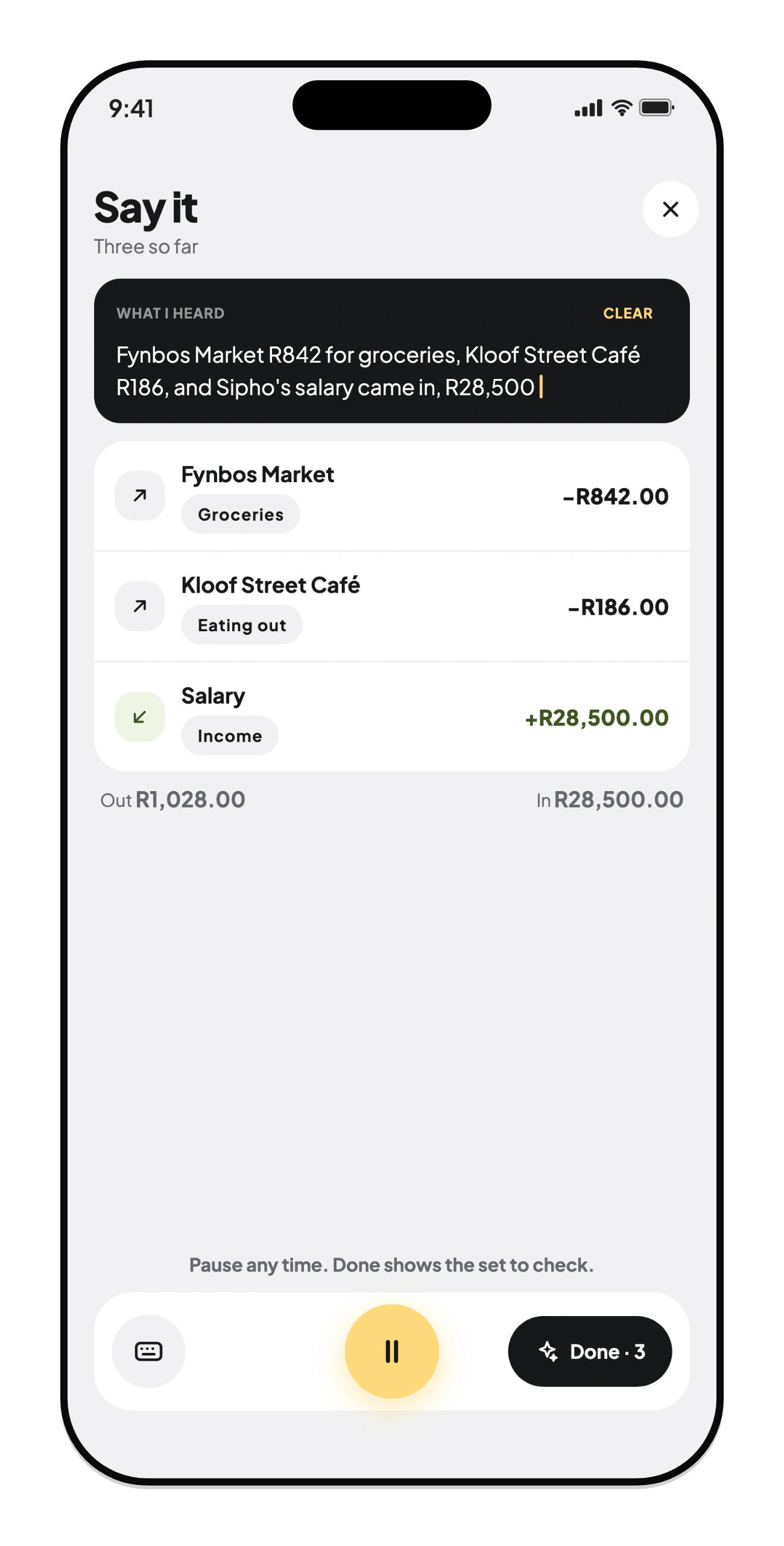
Tell Khumio what you spent in your own words, as many things at once as you like. It writes each one down, and you check it before anything is saved.

  • “R842 at the market, R186 for coffee”
  • Amounts, shops and categories filled in
  • Nothing saved until you say so
Say it: one spoken sentence turned into three records
Scan

Snap the slip. Khumio reads it.

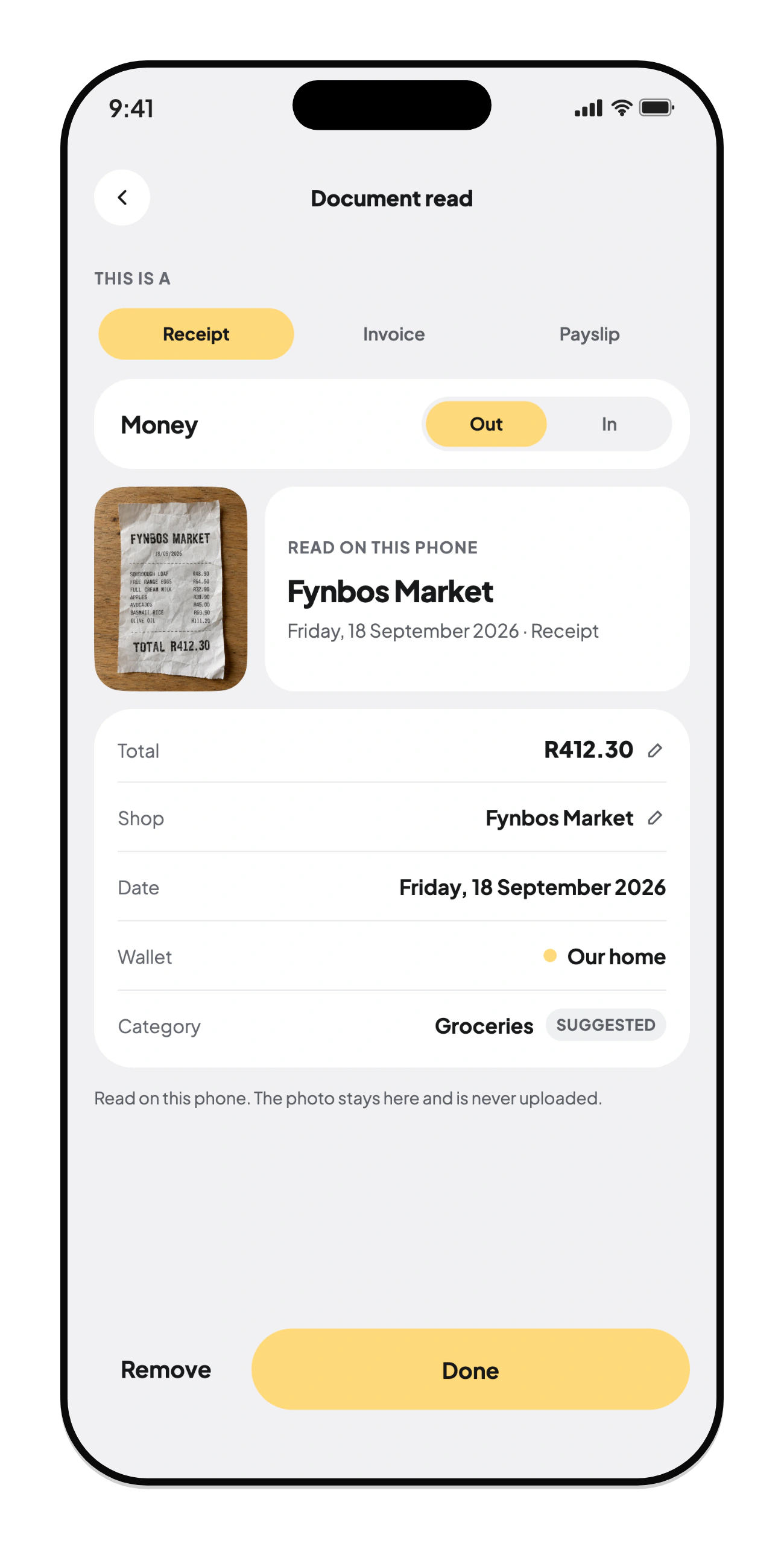
Photograph a till slip, an invoice or a payslip, or a whole stack at once. Khumio reads the total, the shop and the date on your phone, and the photo stays there.

  • Read on the phone, even with no signal
  • Receipts, invoices and payslips
  • Your own AI can read the hard ones, only if you choose
A slip read on the phone: total, shop, date, wallet and category
Ask Khumio

Your money, explained.

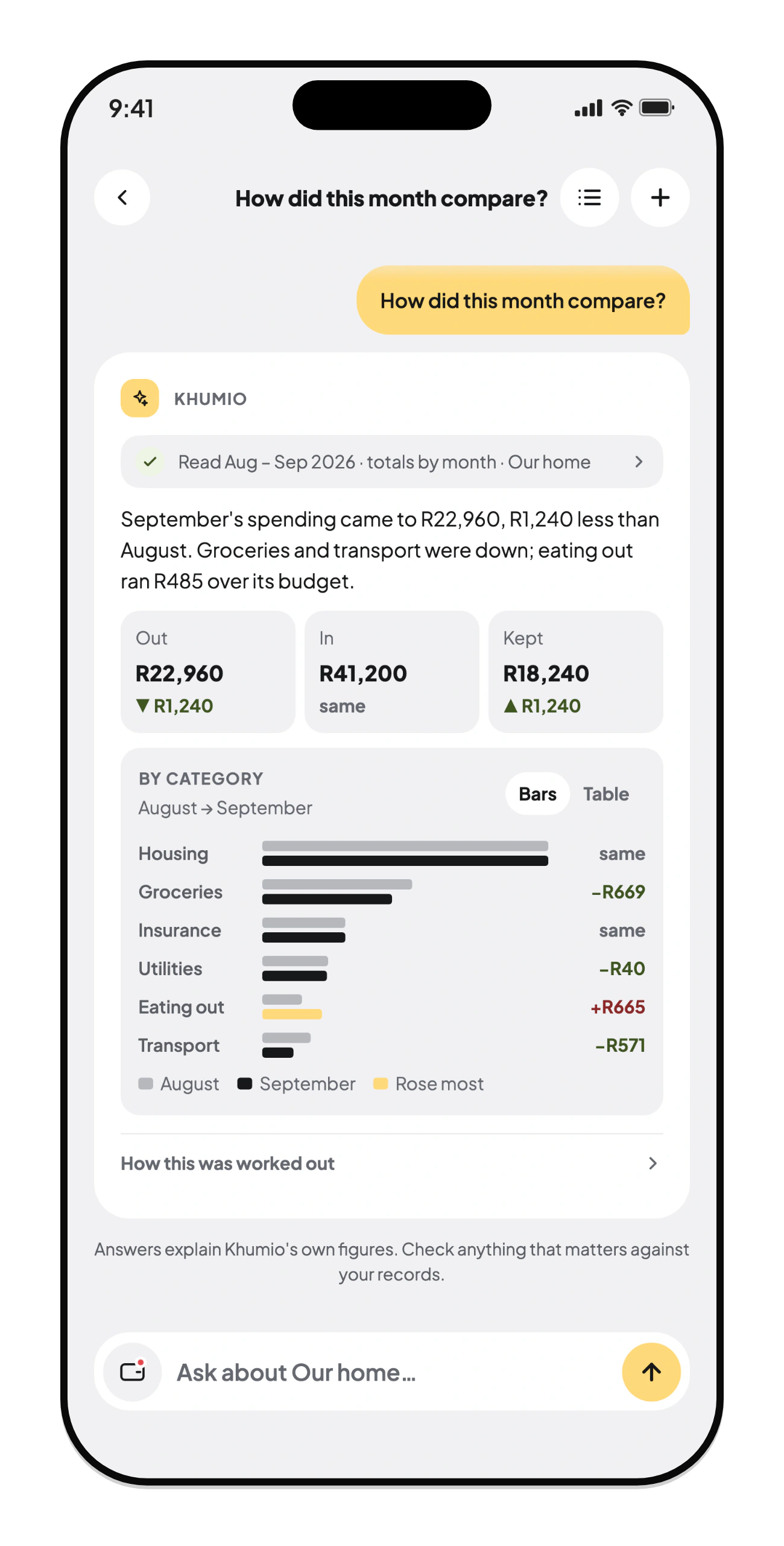
Ask in your own words and get a straight answer from your own records, with the chart to show it. Connect your own AI account and decide which wallets it may read.

  • Totals and comparisons worked out on your phone
  • Never sends names or notes
  • Every answer shows what was read
Ask Khumio: September compared with August, with a chart by category
Plans

Plans you both can see.

Budgets, savings goals and the bills that come round every month, in each wallet, so the things that need you show up before they become a conversation.

  • Budgets that say when you're over
  • Goals you both add to
  • A monthly check-in to look back together
A shared wallet: what needs you, the closest goal, and the latest spending
Private by design

Your money is nobody's business but yours.

Photos stay put

Receipts and documents are read on your phone. A photo goes to an AI only if you connect your own and ask it to read one.

You choose the AI

Insights runs on your own AI account, with your consent. It never sees names or notes, and you can keep any wallet away from it.

Nothing to sell

No ads, no trackers, no selling data. Your records live on our servers in Germany, and you can delete them any time.

Read the Privacy Policy and the Terms of Use.

Questions

Is Khumio a bank?

No. Khumio doesn't hold or move money and never connects to your bank. It's where you and the people you share with keep track of it.

Who sees my shared wallet?

Only the people in it. Joining takes a code and the owner's approval, and each person has a role: some can add records, some can only look.

Does it work offline?

Yes. Record spends, scan slips and read your history with no signal. Khumio catches up when you're back online.

What does it cost?

Khumio is free. If you use Ask Khumio or AI reading, you connect your own AI account and pay that provider for what you use.

How do I delete my account?

In the app: Account, then Your profile, then Delete account. Can't open the app any more? Ask us to delete it.

Money, together, minus the awkward bit.

Free on iPhone, iPad and Android. Coming soon.

Coming soon onApp StoreComing soon onGoogle Play